
The Smart Way
to Manage Your Mission
The Non Profit Toolkit powers non profits to focus on their mission
while efficiently managing their resources and growth.
A comprehensive management platform designed
to tackle the unique challenges faced by non-profit organizations.
By streamlining volunteer coordination, interactions with donors,
managing events, overseeing grant applications and sponsorship opportunities,
our platform ensures seamless operations and maximizes impact.
THE ALL-IN-ONE SOLUTION
TO HELP YOU AMPLIFY YOUR IMPACT
Donor Interactions
Volunteer Engagement

Event Management
Marketing Management
Grant Monitoring

Reporting Analytics
TESTIMONIALS

FEATURED STORIES
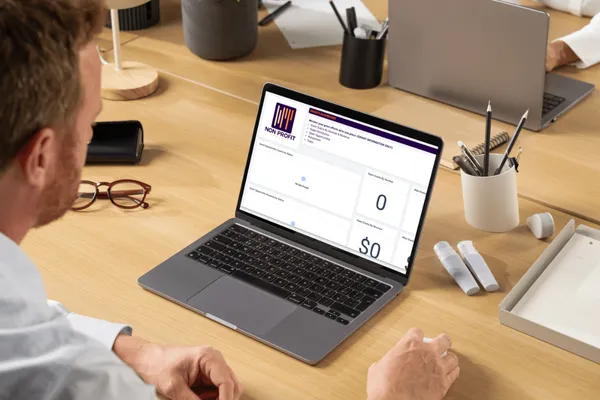
Grant Dashboards Made Simple: Track Deadlines, Teams, and Wins
Grant Dashboards Made Simple: Track Deadlines, Teams, and Wins
A simple project management dashboard can make grant preparation and monitoring much easier for your executive director, grant writer, and staff to manage together. It keeps all deadlines, tasks, and opportunities visible in one place so nothing slips through the cracks.
Start with one shared dashboard
Create one central grant dashboard that everyone can see and update: ED, grant writer, and key staff.
Use simple columns like: Grant Name, Funder, Amount Requested, Status, Deadline, Lead Person, Next Step.
Keep the dashboard online (in your chosen project or CRM tool) so you avoid multiple versions in email or spreadsheets.
Track opportunities from idea to decision
Treat each grant like a mini-project that moves through clear stages.
Example stages: Idea → Researching → Preparing Proposal → Submitted → Won → Declined → Reporting.
The status column shows where each opportunity is, so the ED and staff can spot bottlenecks quickly.
Manage deadlines and tasks
Use your dashboard to list every important date and make tasks visible.
Add columns for Application Deadline, Internal Draft Due Date, and Report Due Date.
Create simple tasks under each grant, such as “Draft narrative,” “Confirm budget,” or “Get letters of support,” and assign each to a specific person with a due date.
Clarify roles and communication
Define who owns what so communication stays clear and simple.
Grant writer: Leads drafting, updates status, and posts questions or needs on the grant’s card or row.
Executive director: Approves final proposals, confirms strategy, and keeps relationships with key funders.
Staff: Provide data, stories, program details, and help gather attachments.
Use brief comments or notes on each grant item instead of long email threads, so everyone can see the latest decisions and questions in context.
Calculate total pipeline and wins
Your dashboard can also show how your grant efforts are performing.
Add a column for Amount Requested and (once decided) Amount Awarded.
Use simple totals to track:
Total value of all active opportunities (your pipeline).
Total value of grants won this year.
Over time, this helps the ED and board see how much potential funding is “in play” and how effective your grant process is.
Keep it simple and consistent
The goal is not a complicated system; it is a clear picture everyone can understand.
Start with a basic layout and improve it only after the team has used it for a month or two.
Make updating the dashboard a standing agenda item in staff or development meetings so it stays current and useful.
Need help creating your grant dashboard, visit https://nonprofittoolkit.app/

GET IN TOUCH WITH US
PHONE: (725) 307-1444
Copyright © 2024 | All Rights Reserved | Terms and Conditions | Privacy Policy | Powered by: KMS Powered